.svg)
Click the internet address of the Foreigner Info Center.
https://foreignerinfocenter.com/
Welcome to the Foreigner Info Center website.
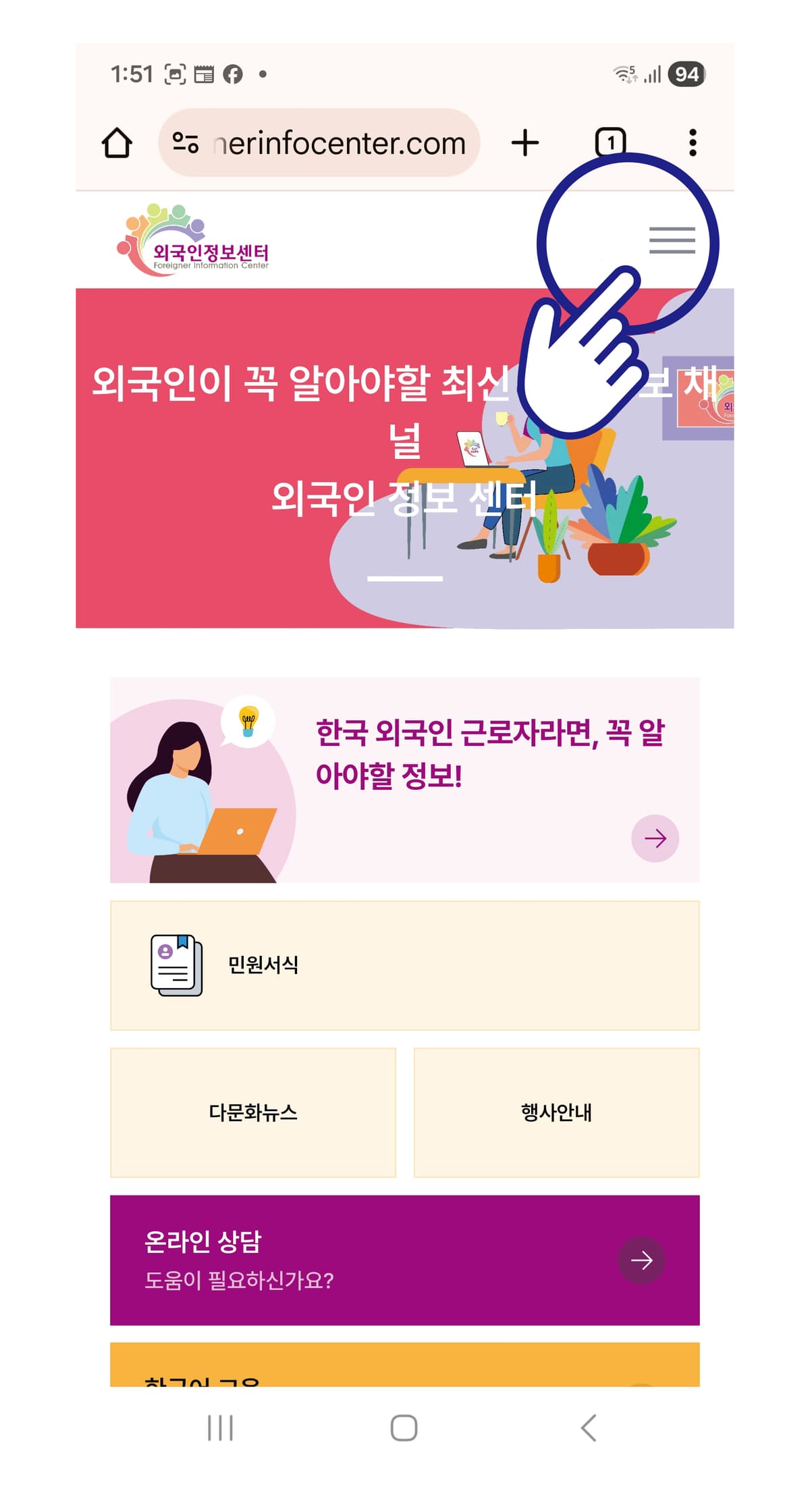
01 / Click the ≡ icon.
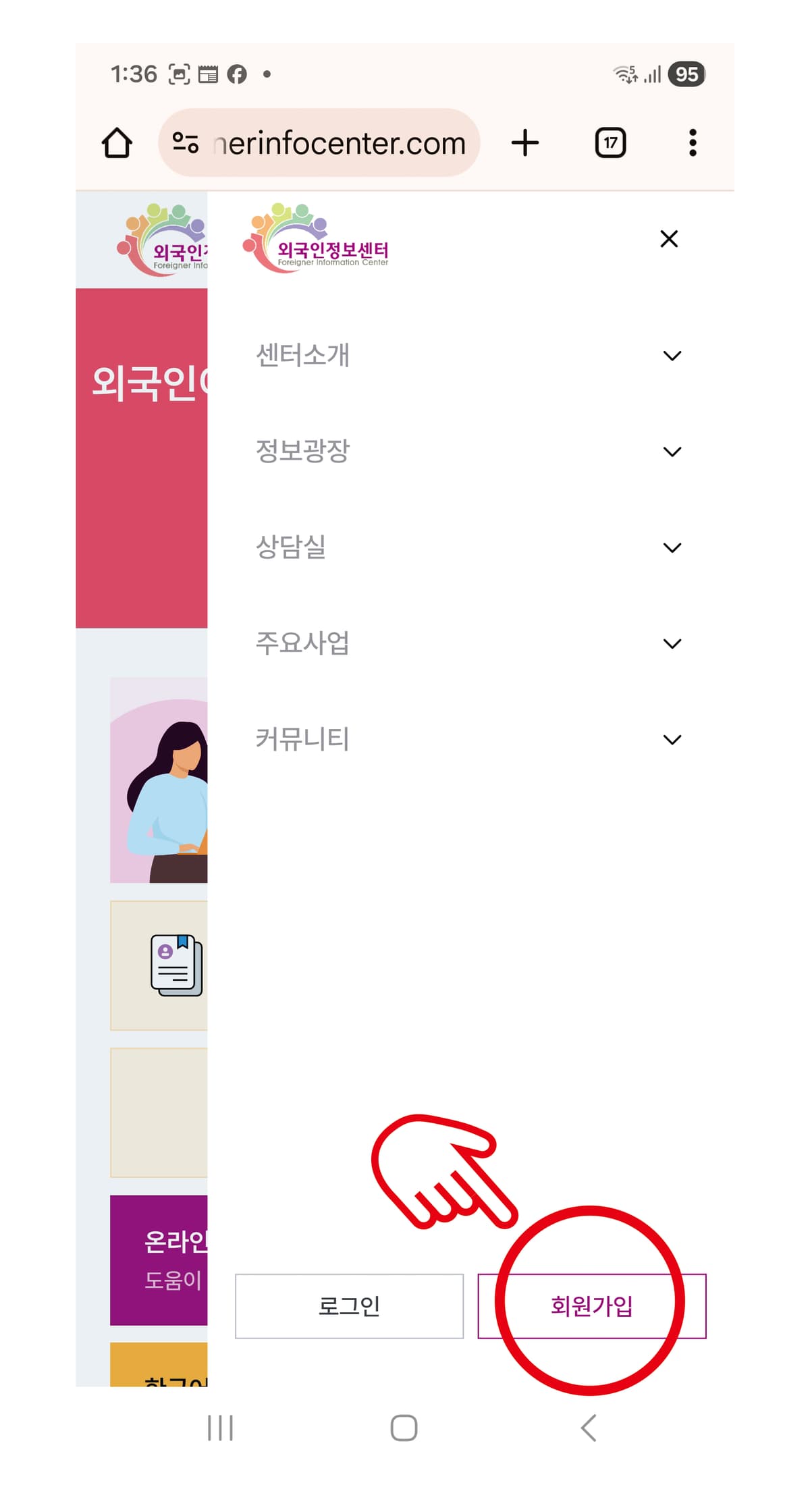
02 / Click Sign Up.
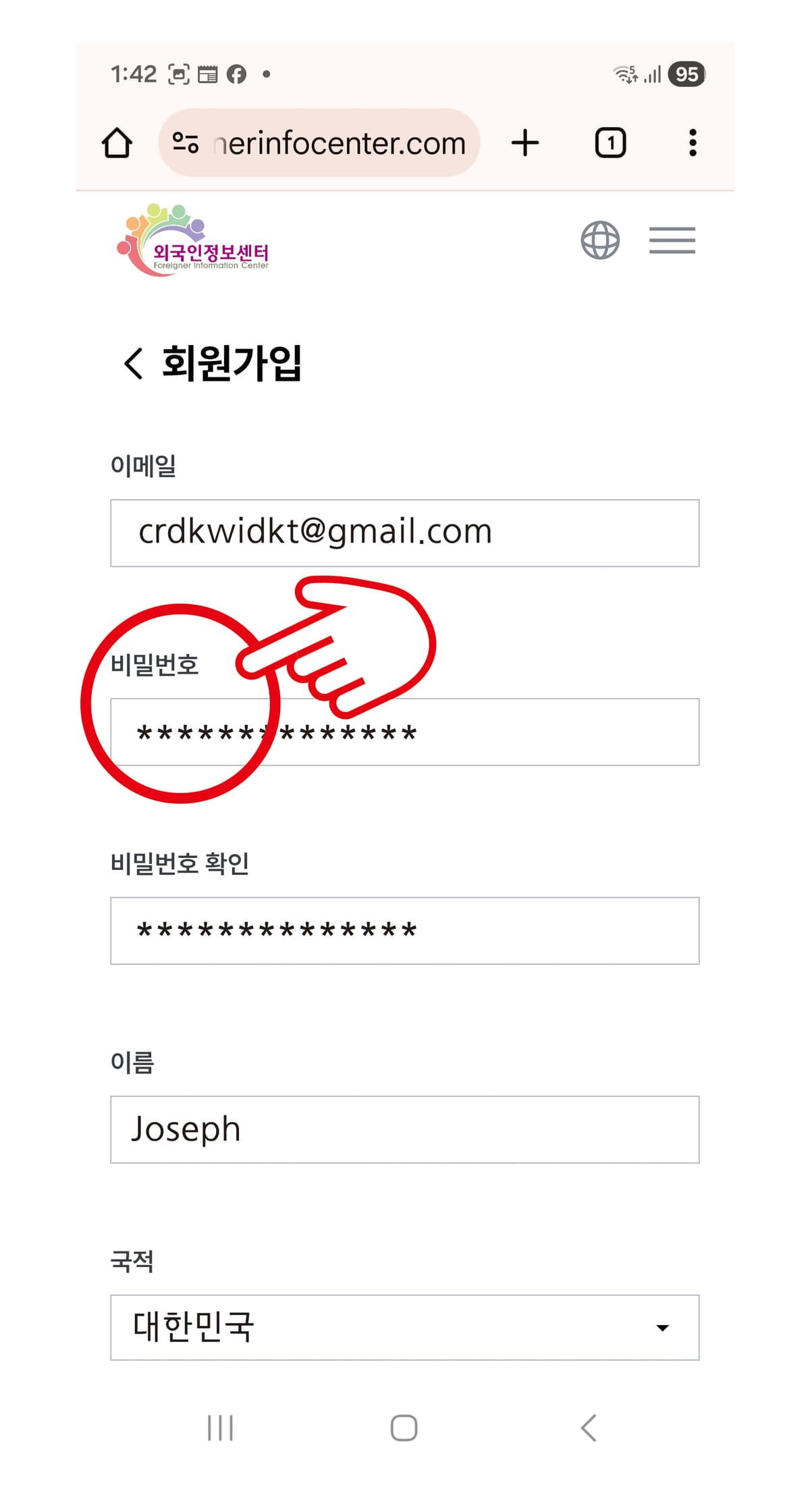
03 / Combine at least 11 letters, numbers, and special characters for your password.
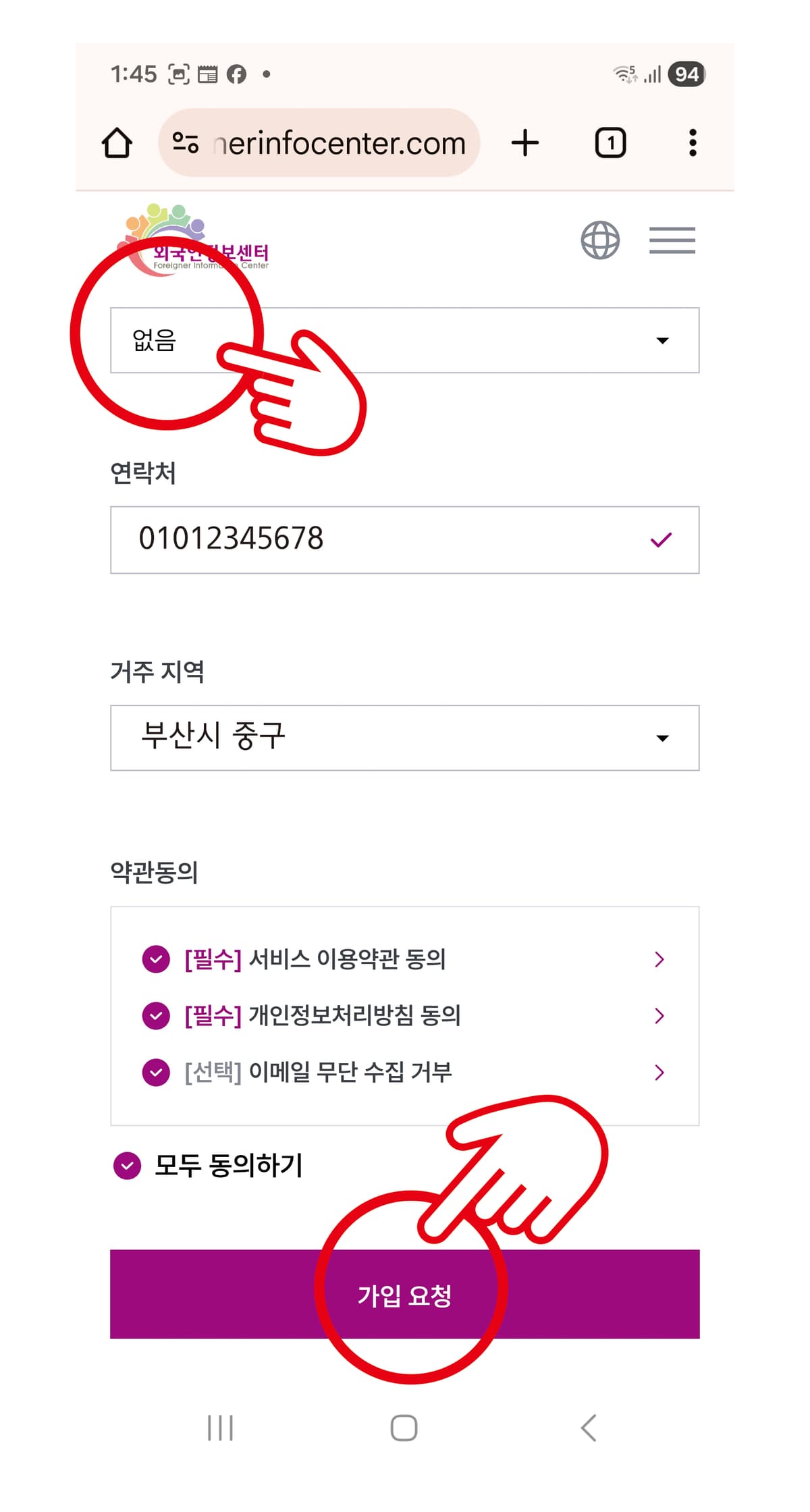
04 / For nationals or those without a visa, select None.
Detailed addresses of your residence are not recorded.
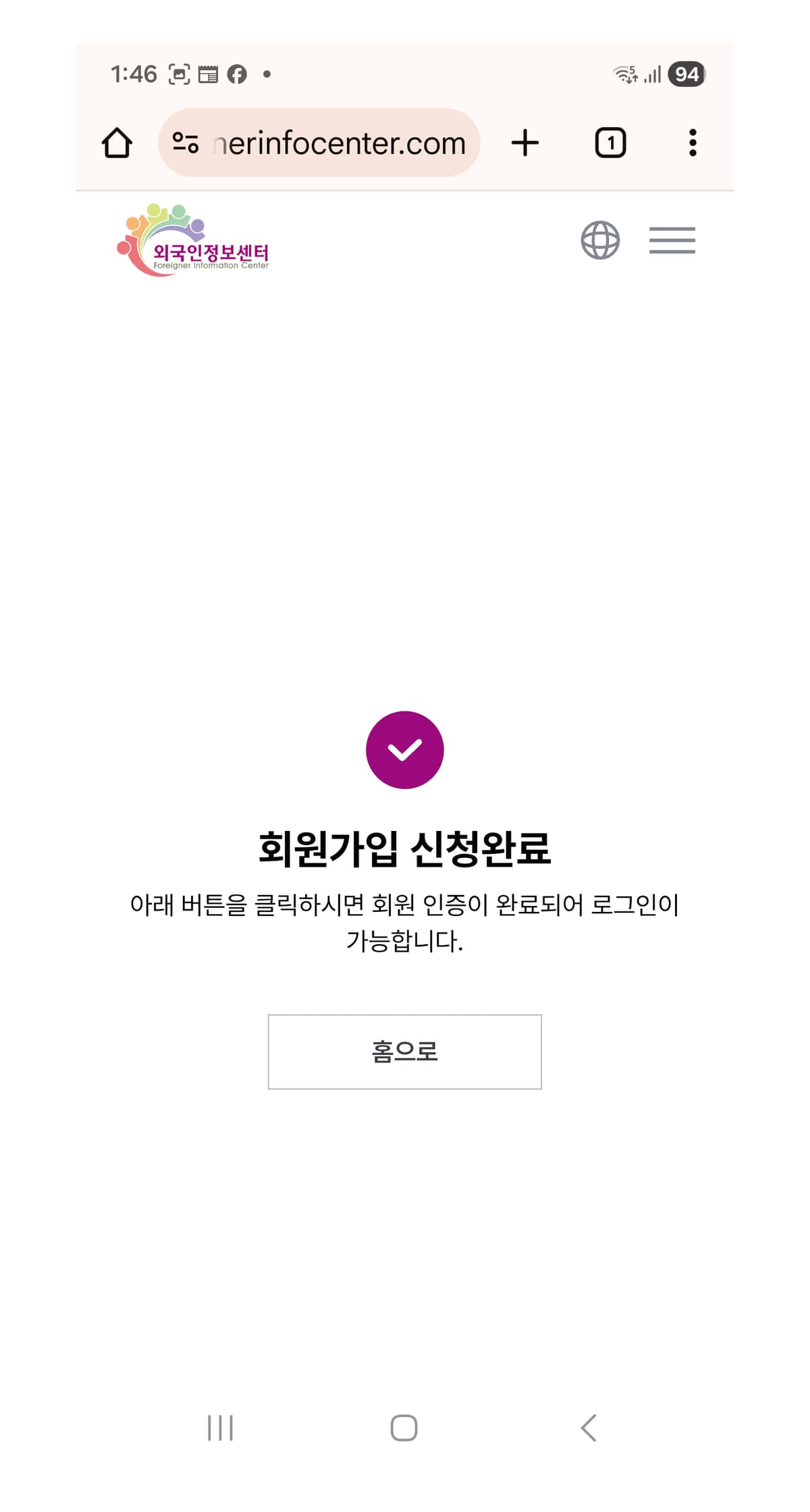
05 / Wait! Now is the most important part.
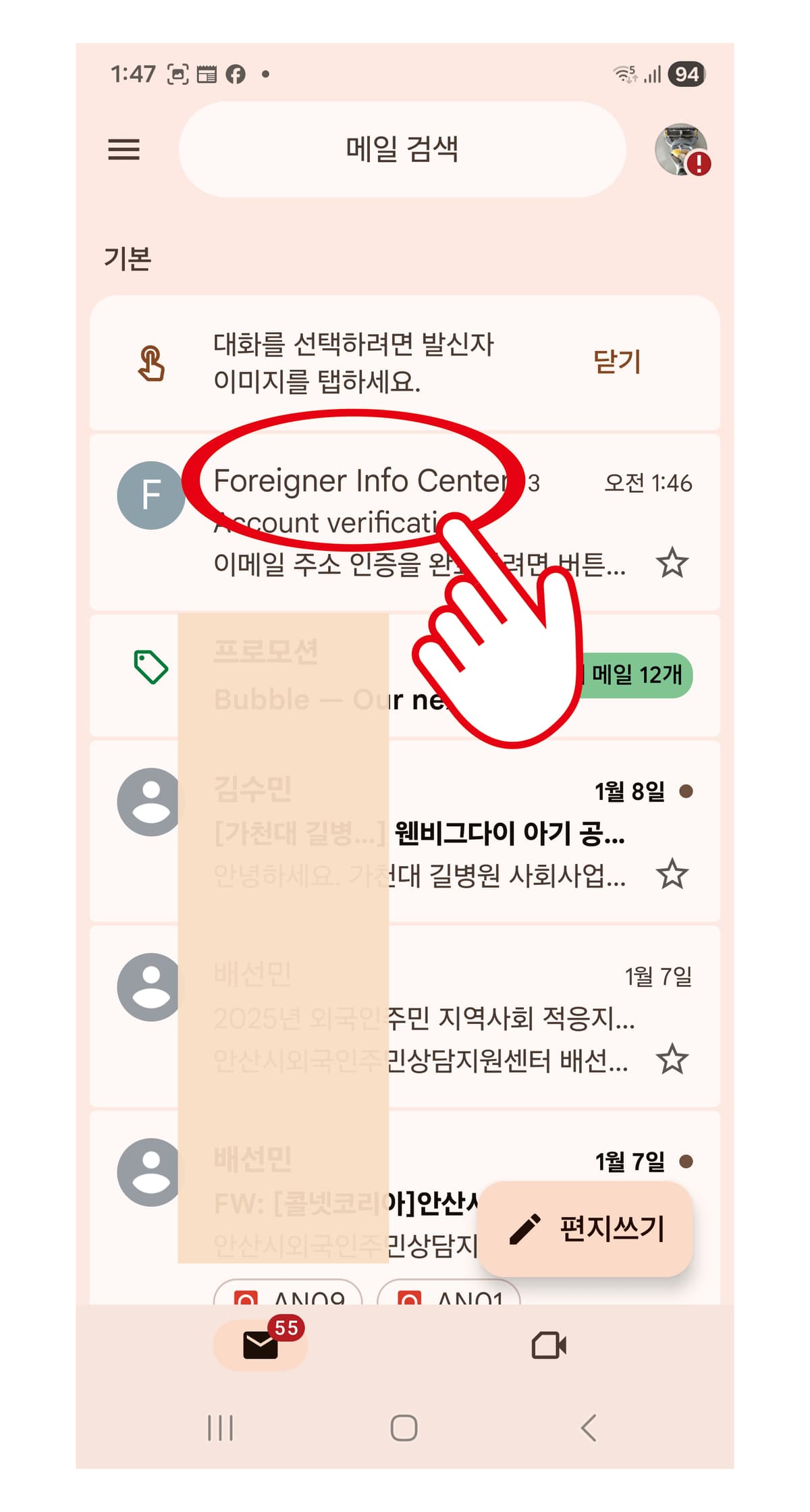
Check the email you used for sign-up.
06 / Click the email from the Foreigner Info Center.
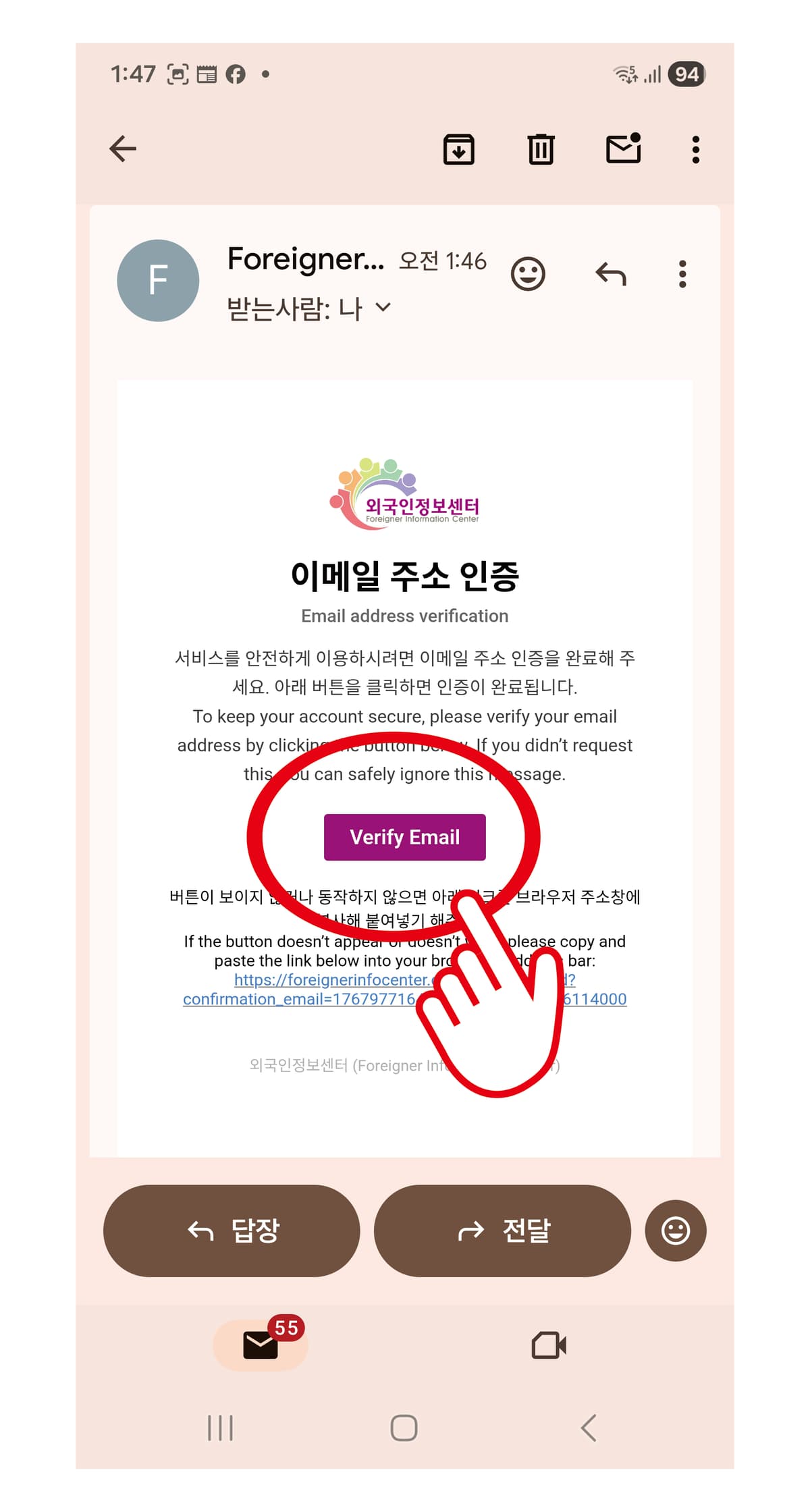
07 / Click the purple Verify Email icon to receive approval.
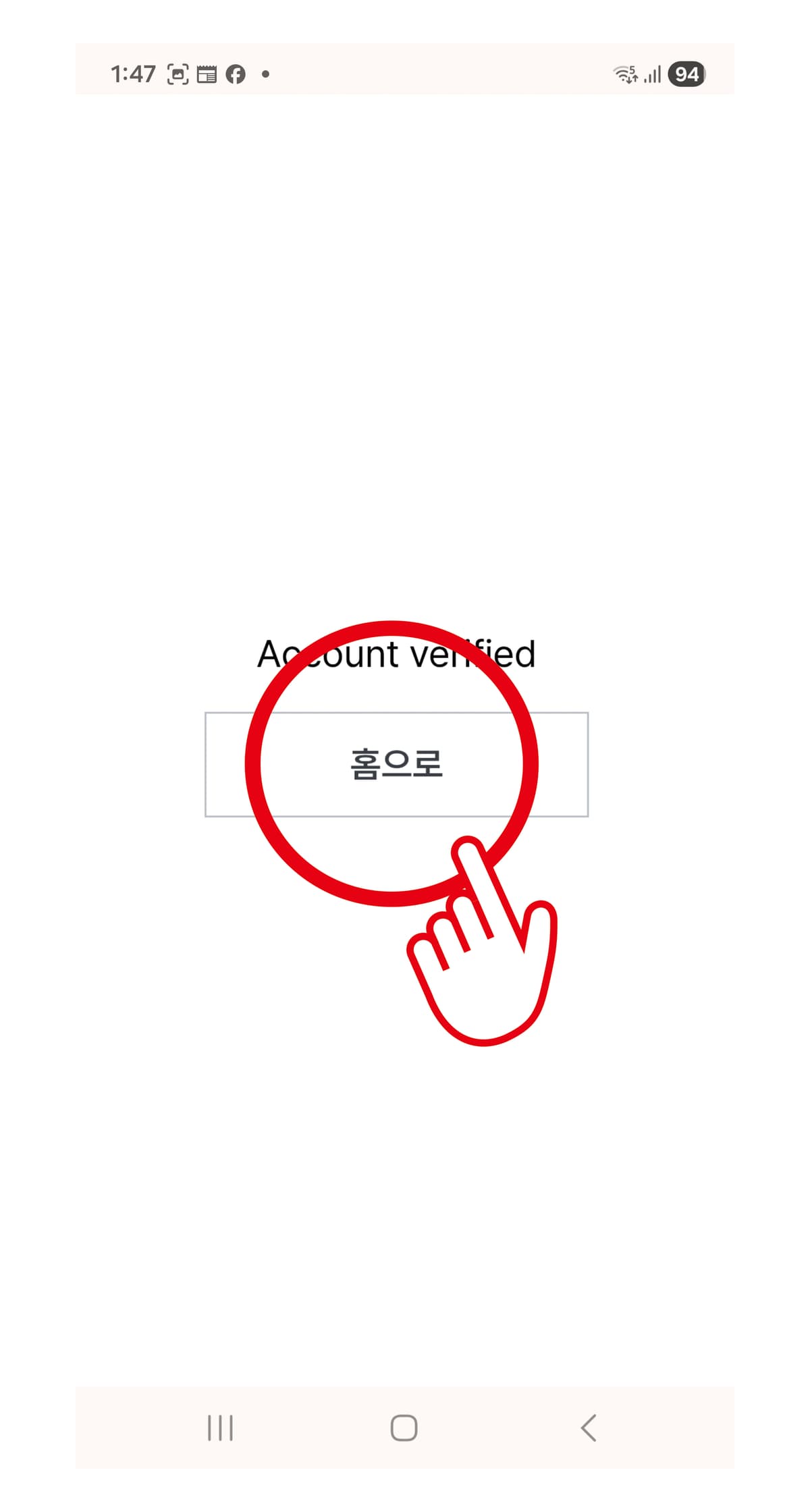
08 / Go to the Home screen.
09 / Click the ≡ icon.
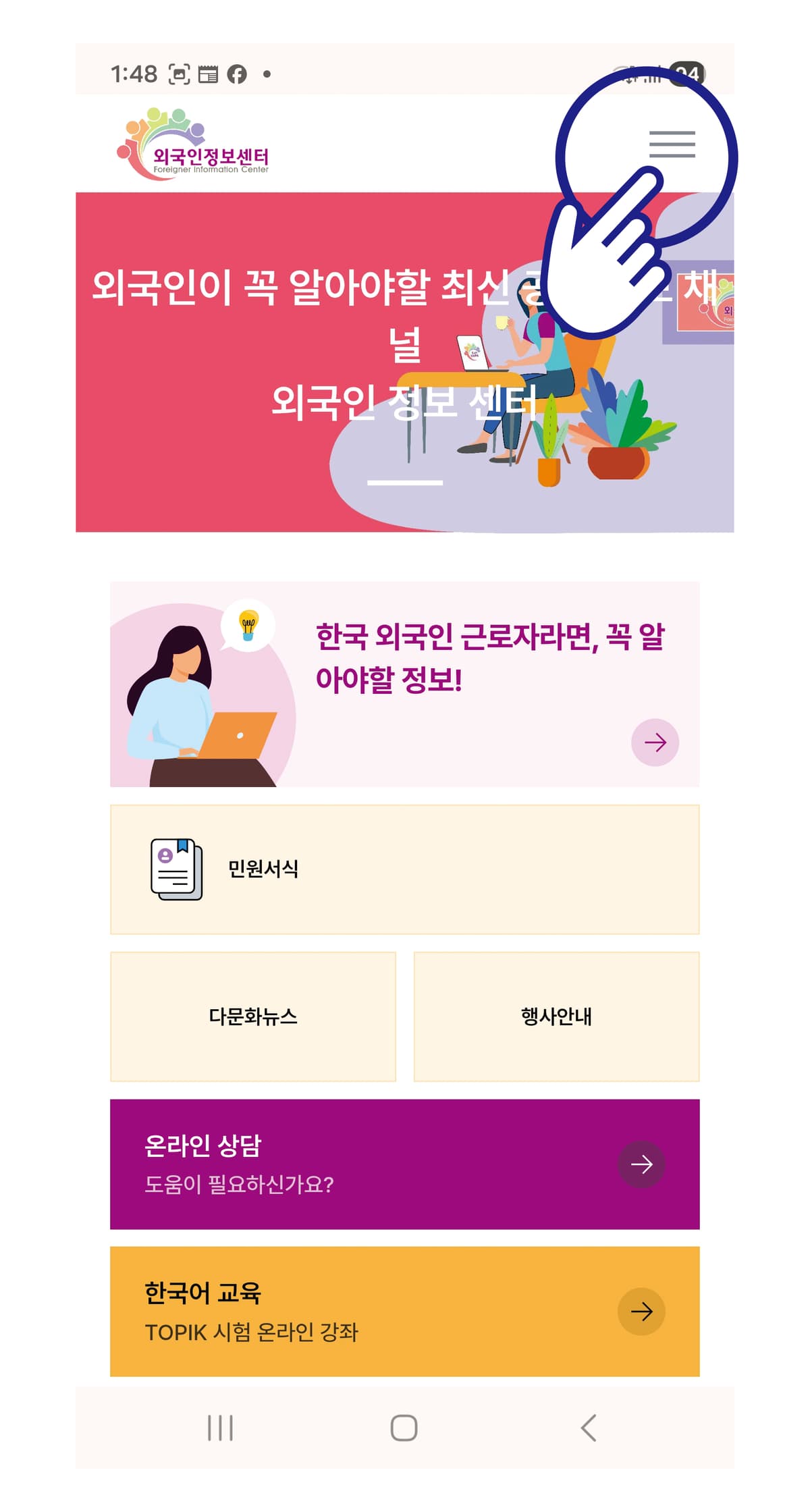
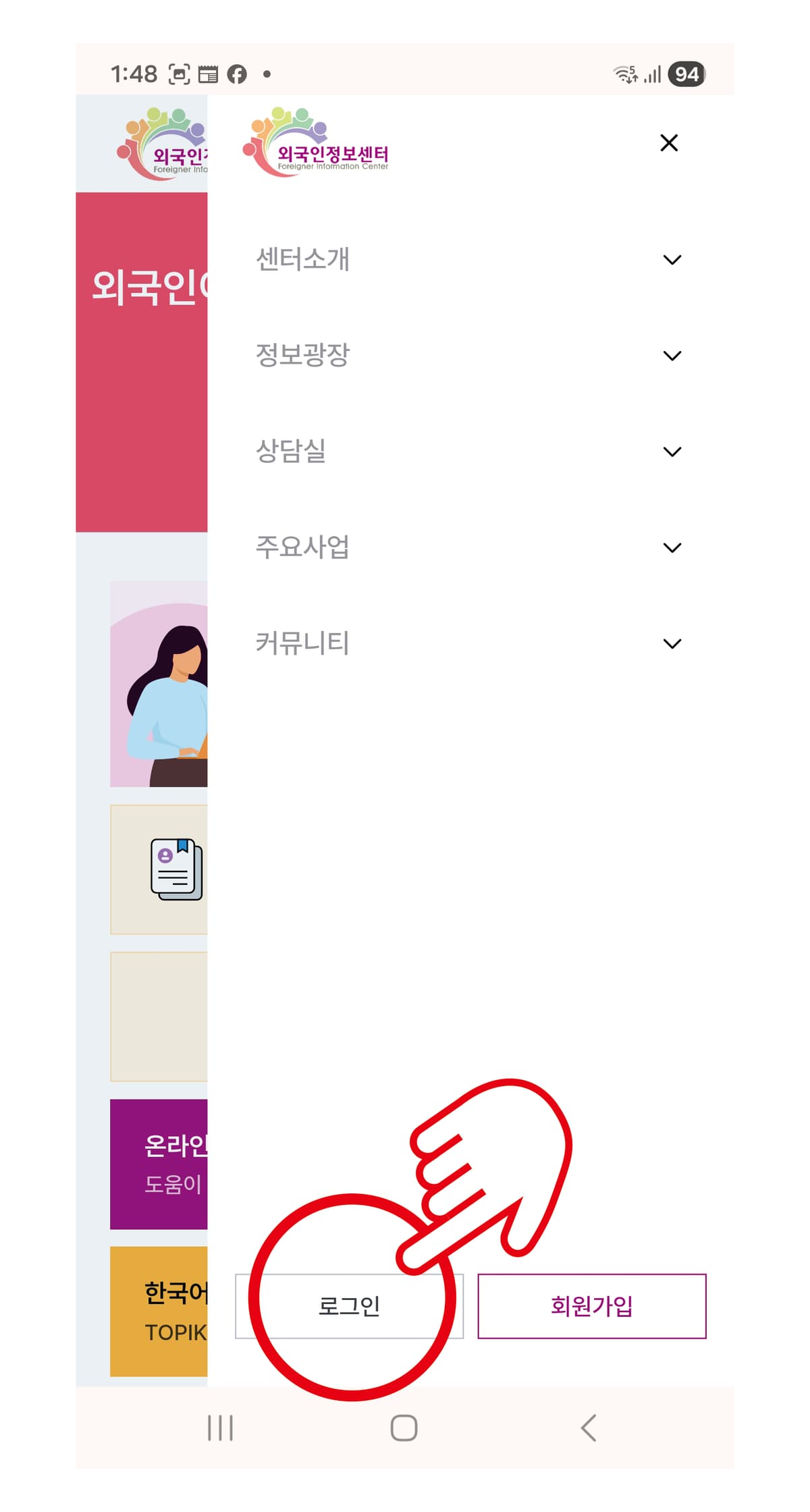
10 / Log in again.
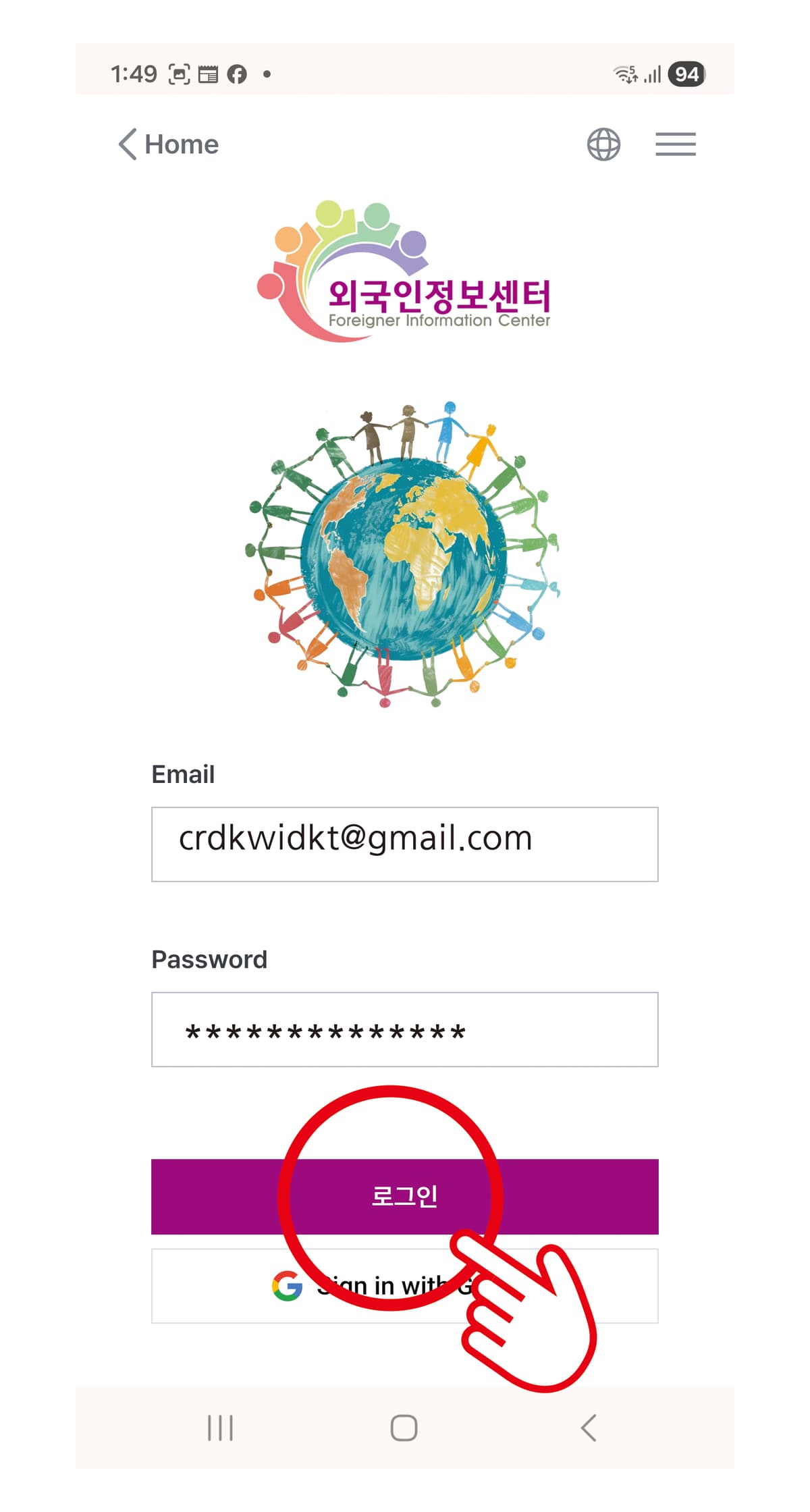
11 / Enter your email and password and click the Login icon.
12 / Click the ≡ icon.
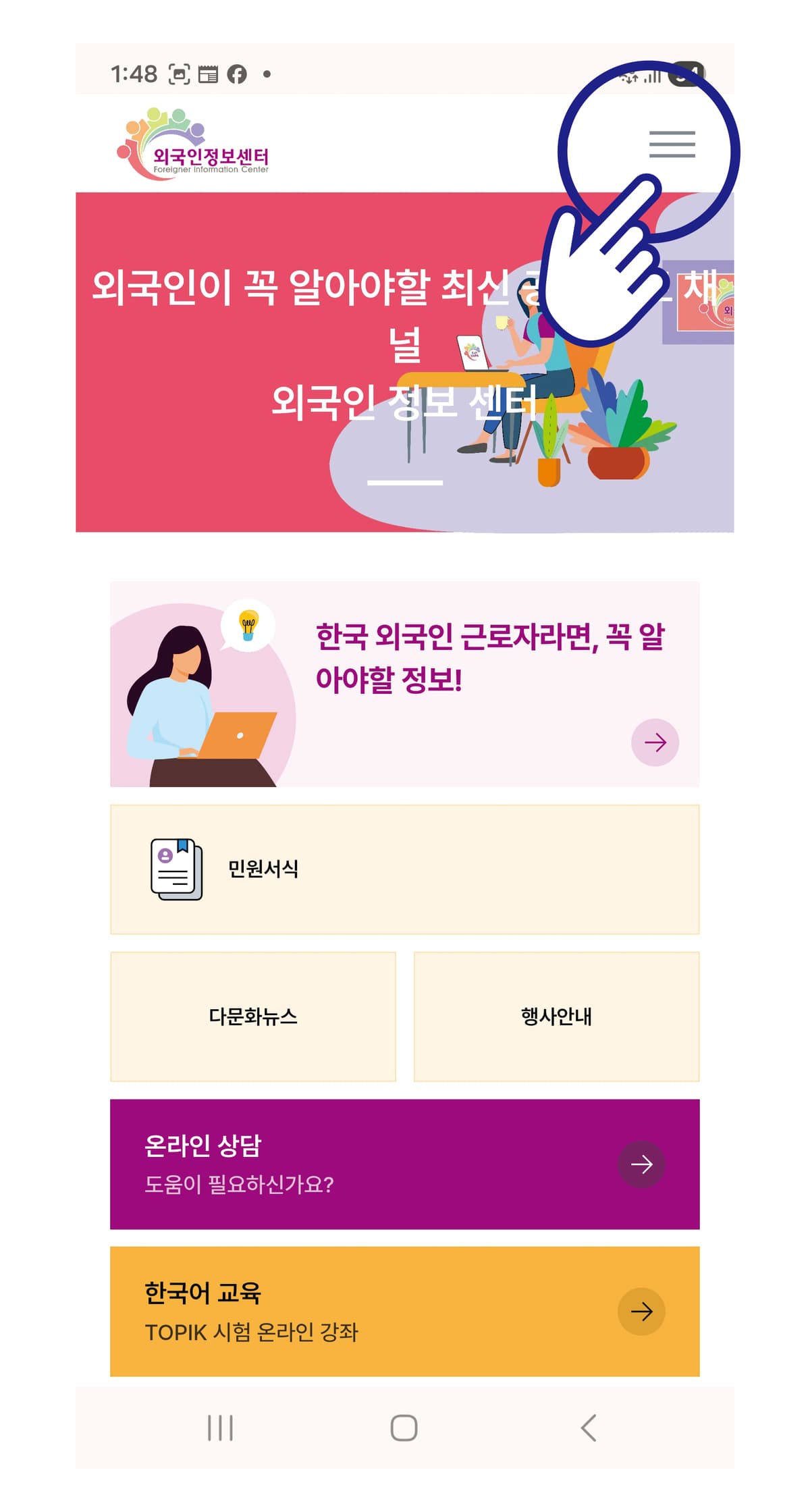
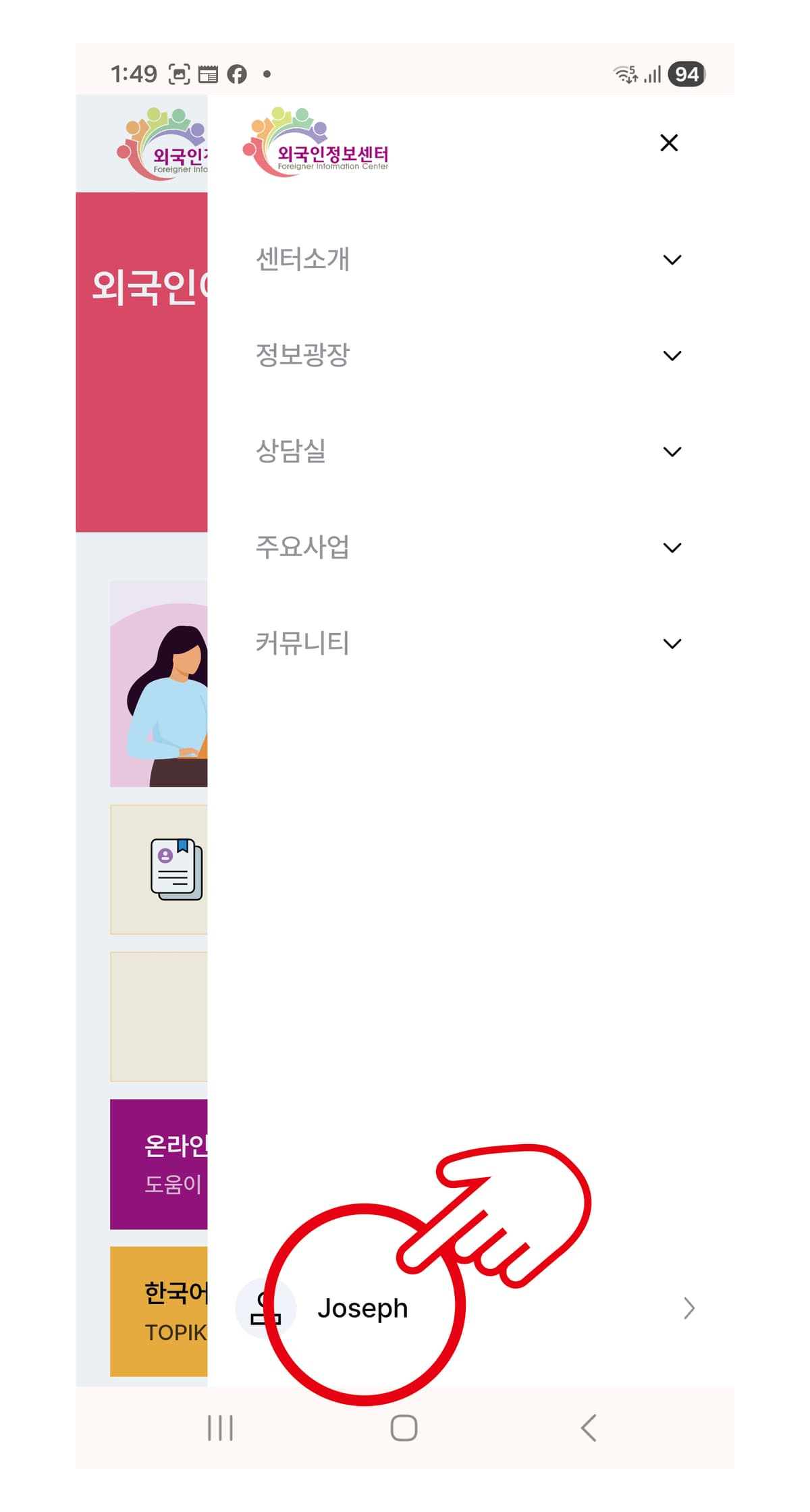
13 / You can then confirm you are logged in under your name.
Well done!
From now on, you can use various foreigner information and services of the Foreigner Info Center for free.